
Microsoft will begin rolling out Windows 11 on October 5. However, the company has finalised the new version and released it to its Release Preview channel.
You can switch to the Release Preview in Windows 10 and get the free Windows 11 upgrade early.
Here’s how you can get the free Windows 11 upgrade:
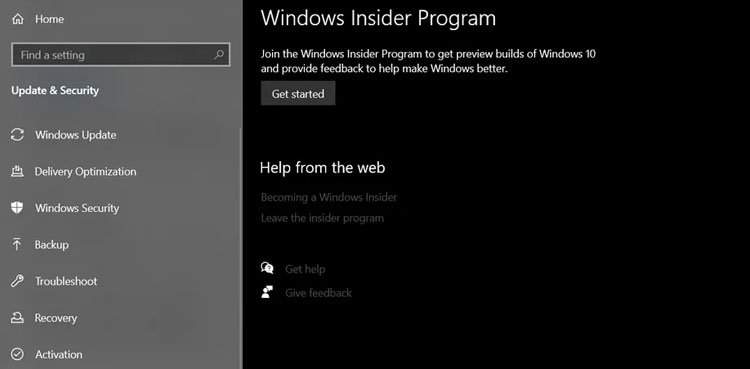
First you need to see if your PC is compatible with Windows 11 using Microsoft’s PC Health App (download here).If your PC is compatible, you will have to register as a Windows Insider at Microsoft’s site to get the upgrade early.On the existing 10 PC, go to Settings > Update & Security > Windows Insider Program
Click the “Get